Introduction
The industry-standard, safest YouTube thumbnail size to design with is 1280 × 720 pixels in a 16:9 aspect ratio. This exact dimension ensures your artwork displays sharply across 4K smart TVs, desktop monitors, tablet feeds, and mobile suggested carousels without pixelation or black bars. However...
Full Details
The industry-standard, safest YouTube thumbnail size to design with is 1280 × 720 pixels in a 16:9 aspect ratio. This exact dimension ensures your artwork displays sharply across 4K smart TVs, desktop monitors, tablet feeds, and mobile suggested carousels without pixelation or black bars.
However, when inspecting or downloading existing video thumbnails from across YouTube, you quickly discover that not every upload offers a 1280×720 file. Understanding the difference between recommended design dimensions and actual published thumbnail assets is essential for content creators, publishers, and graphic designers.
Always create custom thumbnails at 1280 × 720 px (minimum width: 640 px) under 2MB in JPG, PNG, or WebP. When downloading an existing thumbnail using a tool, always check the exposed asset sizes first—because maximum resolution is never guaranteed for older uploads, Shorts, or unarchived live streams.
Official YouTube Thumbnail Sizes at a Glance
YouTube's server architecture generates multiple scaled copies of every uploaded thumbnail to serve different viewports efficiently. Here are the five standard thumbnail dimensions generated across Google’s CDN:
| Tier Label | File Name Pattern | Dimensions | Aspect Ratio | Best Practical Use |
|---|---|---|---|---|
| Maximum Resolution | maxresdefault.jpg |
1280 × 720 (or 1920×1080) | 16:9 | Hero banners, presentations, high-res web embeds |
| Standard Definition (SD) | sddefault.jpg |
640 × 480 | 4:3 (Letterboxed) | Medium blog cards, social media links |
| High Quality (HQ) | hqdefault.jpg |
480 × 360 | 4:3 (Letterboxed) | Feed previews, email newsletters |
| Medium Quality (MQ) | mqdefault.jpg |
320 × 180 | 16:9 | Sidebar related lists, fast-loading mobile feeds |
| Default Thumbnail | default.jpg |
120 × 90 | 4:3 | Playlist queues, search suggestions |
Why 1280 × 720 (16:9) Is the Golden Standard
1280×720 is considered the ideal benchmark because it matches YouTube’s native player proportions while staying within manageable file boundaries:
- Perfect 16:9 Canvas: Prevents YouTube from inserting horizontal or vertical black letterbox bars around your image.
- High Pixel Density on Mobile: Even though phones render thumbnails around 300 to 400 pixels wide, high-density Retina and OLED screens require 2x to 3x pixel density to avoid visual blurriness.
- Ideal Compression Buffer: YouTube recompresses all uploaded imagery. Starting at 720p or 1080p gives the algorithm enough pixel data to retain clarity after compression.

Technical Specifications & Upload Requirements
When preparing graphics for upload inside YouTube Studio, follow these mandatory platform guidelines:
- Minimum Width: 640 pixels (anything smaller will be rejected).
- Maximum File Size: 2MB for standard video uploads (up to 10MB for podcasts).
- Supported File Formats: JPG, GIF (non-animated), PNG, or WebP.
- Timestamp Safe Zone: Avoid placing crucial text, faces, or brand logos in the bottom-right corner. YouTube overlays the video duration badge in this exact position on both desktop and mobile apps.
How to Check and Download Actual Thumbnail Dimensions
Never guess what resolution a video is using. Follow this straightforward workflow to inspect any public video:
- Copy the Video URL: Copy any standard watch link,
youtu.belink, or Shorts URL. - Open the Downloader: Paste the link into our free YouTube Thumbnail Downloader.
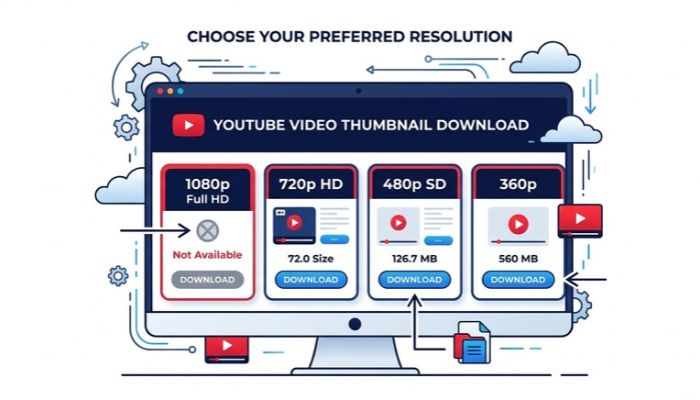
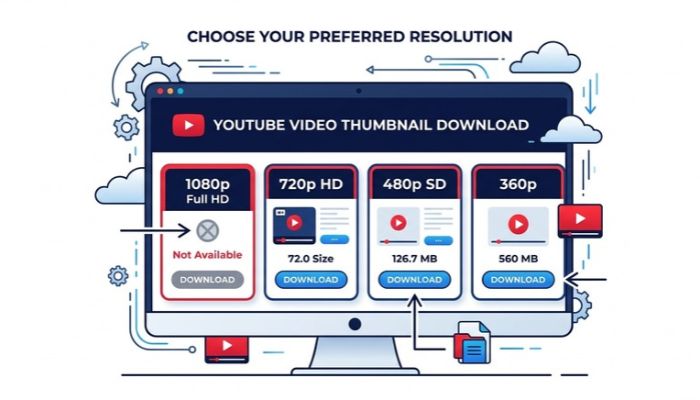
- Inspect Available Tiers: The tool will instantly ping Google’s CDN and display only the image cards that physically exist for that video.
- Select Your Required Size: If 1280×720 is available, grab it. If missing, select 640×480 or 480×360 instead of trying to stretch a tiny icon.
- Fix Aspect Ratio if Needed: If you must use a 640×480 file with letterbox bars, crop it back to clean 16:9 using our YouTube Thumbnail Resizer.
Special Cases: Shorts, Live Streams, and Older Uploads
Thumbnail behavior shifts depending on the video category:
- YouTube Shorts: Shorts are filmed in vertical 9:16 (1080×1920). While YouTube exposes horizontal 16:9 frame grabs for API requests, the visual focal point may be cropped. You can preview how your graphic appears in desktop and mobile feeds with our Thumbnail Preview & Size Checker.
- Live Broadcasts: During a live stream, thumbnail assets cycle through dynamic snapshots. The permanent high-definition custom thumbnail may not become accessible via public CDNs until processing finishes after the broadcast.
- Vintage Uploads (Pre-2012): Videos uploaded before high-definition standards became ubiquitous often top out at
hqdefault.jpg(480×360).
5 Critical Mistakes to Avoid with Thumbnail Sizes
- Artificial Upscaling: Stretching a 480×360 file to 1920×1080 in image editing software does not recover lost fidelity; it only produces blurry, muddy artifacts.
- Ignoring the 2MB Ceiling: Exporting raw uncompressed PNG files frequently exceeds 2MB, triggering upload errors inside YouTube Studio. Use high-quality JPG (85–90% quality) instead.
- Wrong Proportions (4:3 or 1:1): Uploading square or older 4:3 graphics causes YouTube to add distracting black pillboxes on either side of your artwork.
- Assuming All Tools Are Broken: A missing 1080p button on a downloader tool indicates that YouTube's servers do not host that asset for that video ID.
- Forgetting Mobile Legibility: Always zoom out to 15% on your desktop canvas when designing. If headline text is unreadable at that scale, it will fail on mobile smartphone screens.
Frequently Asked Questions (FAQ)
What is the absolute best YouTube thumbnail size?
1280 × 720 pixels with a 16:9 aspect ratio and a minimum width of 640 pixels. This delivers optimal sharpness without exceeding YouTube's 2MB file limit.
Is 1920 × 1080 better than 1280 × 720 for thumbnails?
Designing at 1920×1080 is excellent during Photoshop/Canva creation because it gives you more detail. However, both 1080p and 720p share the exact same 16:9 proportion, and YouTube compresses both into the same CDN asset tier (maxresdefault).
Why is maxresdefault missing on some videos?
Because the original video may be low resolution, an auto-generated freeze-frame was selected instead of a custom upload, or the video is an active live stream or Short.
Can I use a 480 × 360 thumbnail on my website?
Yes. For small blog sidebar thumbnails, email cards, and archive lists, 480×360 is perfectly adequate and will load significantly faster than a heavy 1080p image.
What image file formats does YouTube accept?
YouTube Studio accepts JPG, PNG, non-animated GIF, and WebP image formats up to 2MB in file size.
Does downloading a thumbnail reduce video view counts?
No. Fetching thumbnail image assets from Google's public image CDN does not trigger a video playback event or affect channel analytics.
Explore Related Creator Tools
Enhance your YouTube content strategy with our free tools:
- YouTube Thumbnail Downloader: Grab all available thumbnail tiers in JPG, PNG, or WebP.
- YouTube Thumbnail Resizer: Crop or fit any image to the exact 16:9 ratio.
- Thumbnail Preview & Size Checker: Test visual contrast and mobile readability.
- Playlist Length Calculator: Calculate total runtimes for courses and playlists.
No comments yet. Be the first to leave a thought!