Introduction
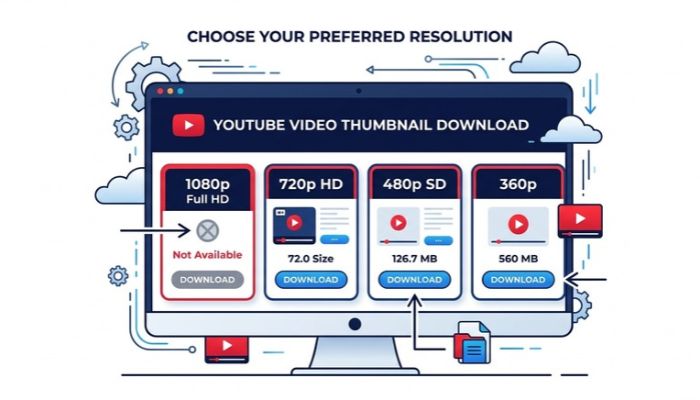
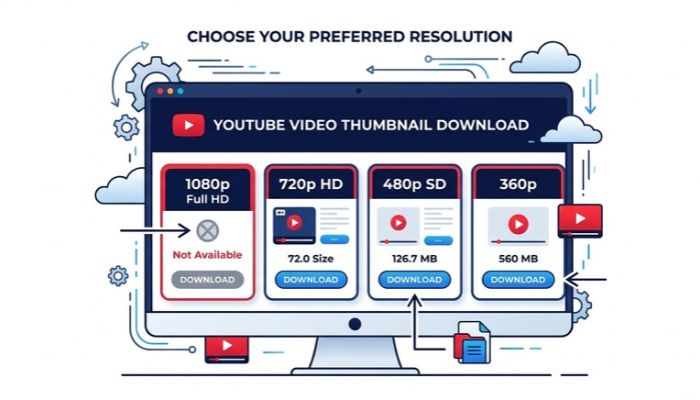
One of the most frequent questions creators and video editors ask when using an online thumbnail downloader is: "Why is the 1080p Full HD or Max Resolution option missing for this specific video?" When this happens, users instinctively assume the downloader script or API is broken. In 98% of case...
Full Details
One of the most frequent questions creators and video editors ask when using an online thumbnail downloader is: "Why is the 1080p Full HD or Max Resolution option missing for this specific video?"
When this happens, users instinctively assume the downloader script or API is broken. In 98% of cases, however, the tool is functioning perfectly. The reality comes down to upstream asset availability: if YouTube never rendered or stored a high-resolution thumbnail for that video on its content delivery network (CDN), no third-party tool can invent pixels that do not exist.
A professional downloader exposes what YouTube's servers actually host. If an image resolution button is unavailable, it reflects YouTube's internal encoding rules—not a technical failure on your downloader's frontend.
The Anatomy of YouTube's Thumbnail Hierarchy
Whenever a creator uploads a video or assigns a custom thumbnail in YouTube Studio, YouTube's processing pipeline attempts to generate up to five distinct image files. Understanding these system file names clarifies why some sizes disappear:
| System File Name | Standard Resolution | Aspect Ratio | Availability Status | Ideal Use Case |
|---|---|---|---|---|
maxresdefault.jpg |
1280 × 720 (or 1920 × 1080) | 16:9 | Conditional (Not on all videos) | High-res presentations, design mockups, 4K displays |
sddefault.jpg |
640 × 480 | 4:3 (Letterboxed) | Common | Medium blog cards, social media links |
hqdefault.jpg |
480 × 360 | 4:3 (Letterboxed) | Always Generated | Feed thumbnails, player placeholders |
mqdefault.jpg |
320 × 180 | 16:9 | Always Generated | Sidebar related videos, mobile search feeds |
default.jpg |
120 × 90 | 4:3 | Always Generated | Tiny video feed previews, playlist drawers |
Why Does YouTube Fail to Expose "maxresdefault"?
If maxresdefault.jpg is the highest quality version, why doesn't every video have it? There are four common technical reasons behind missing high-res files:
1. Low Source Video Resolution
If a creator uploads a video rendered at 480p or 360p, YouTube’s encoding engine will not scale custom thumbnails up to 1280×720. In this scenario, the highest tier generated will typically be hqdefault.jpg.
2. The Video is a YouTube Short (Vertical 9:16)
YouTube Shorts follow different thumbnail rendering parameters. Because Shorts are recorded vertically (1080×1920), high-res 16:9 variants may return a 404 status from Google's CDN.
3. Live Streams and Scheduled Premieres
Thumbnail states fluctuate throughout a live broadcast. Pre-stream uses temporary artwork, active stream uses low-latency frames, and final high-res VOD processing can take several hours after the stream ends.
4. Region, Age, or Privacy Restrictions
If a video is unlisted, private, age-gated, or geoblocked, Google's public image servers (i.ytimg.com) may suppress public queries to the unauthenticated max-resolution endpoint.
Diagnostic Matrix: What Happened & What to Do
Refer to this troubleshooting breakdown whenever you encounter missing size options:
| Video Condition | Underlying Cause | Actionable Solution |
|---|---|---|
| Legacy or 480p Video | Source resolution too low to warrant an HD file. | Use High Quality (480×360) or Standard (640×480). |
| Freshly Uploaded Video | YouTube CDN processing delay. | Wait 15–30 minutes for Google's servers to complete 1080p image rendering. |
| Active Live Stream | Stream assets in transit. | Wait until the live stream ends and archives as a completed VOD. |
| YouTube Shorts | Vertical aspect ratio differences. | Inspect standard quality or download channel branding assets. |

Practical Workflow: How to Handle Lower Resolution Assets
When max resolution is absent, how should you proceed without ruining your project’s visual quality?
- Accept Standard (SD) or High Quality (HQ): For blog article banners, internal documentation, or social previews, a 640×480 image is frequently more than sufficient.
- Inspect the Aspect Ratio: Standard and High-Quality default files (
sddefaultandhqdefault) include black letterbox bars on top and bottom to fit a 4:3 canvas. - Use an Image Resizer Tool: You can crop those black bars away and restore a native 16:9 proportion using our free YouTube Thumbnail Resizer.
Common Misconceptions to Avoid
- "Third-party downloaders compress the files": Reliable tools do not compress thumbnails; they fetch the raw binary file hosted by YouTube's official servers.
- "All videos have 4K thumbnails": YouTube does not create dedicated 3840×2160 (4K) thumbnails. The highest native format is classified under the
maxresdefaultdesignation.
Frequently Asked Questions (FAQ)
1. Can I force a downloader to generate a 1080p thumbnail?
No. If YouTube's CDN does not host a maxresdefault image for that video ID, no external tool can legitimately retrieve it without artificial AI upscaling.
2. Why do some 1080p videos still lack maxres thumbnails?
Even if the video itself is 1080p, the creator may have uploaded a low-resolution custom thumbnail or selected an auto-generated freeze-frame suggestion.
3. How can I preview how my thumbnail looks across different devices?
You can use our YouTube Thumbnail Preview & Size Checker to see how any image renders on mobile, desktop, and suggested sidebars.
4. Are missing thumbnail sizes a sign of copyright strikes?
No. Missing thumbnail sizes are strictly technical encoding limitations and have no relation to copyright flags or monetization status.
Explore Related Creator Tools
Streamline your video workflows with our other free utilities:
- YouTube Thumbnail Downloader: Safely grab available resolutions in JPG, PNG, and WebP.
- YouTube Playlist Length Calculator: Calculate total watch time and speed durations for any course or playlist.
- YouTube Tag Extractor: Inspect tags and optimization strategies behind successful videos.
No comments yet. Be the first to leave a thought!